

5.3.1 Model Inference
功能简介
本章节介绍深度学习模型推理节点的基本使用方式,支持以下功能:
- 输入本地图片进行模型推理,输出渲染图像并保存至本地;
- 通过 Web 界面实时可视化推理结果;
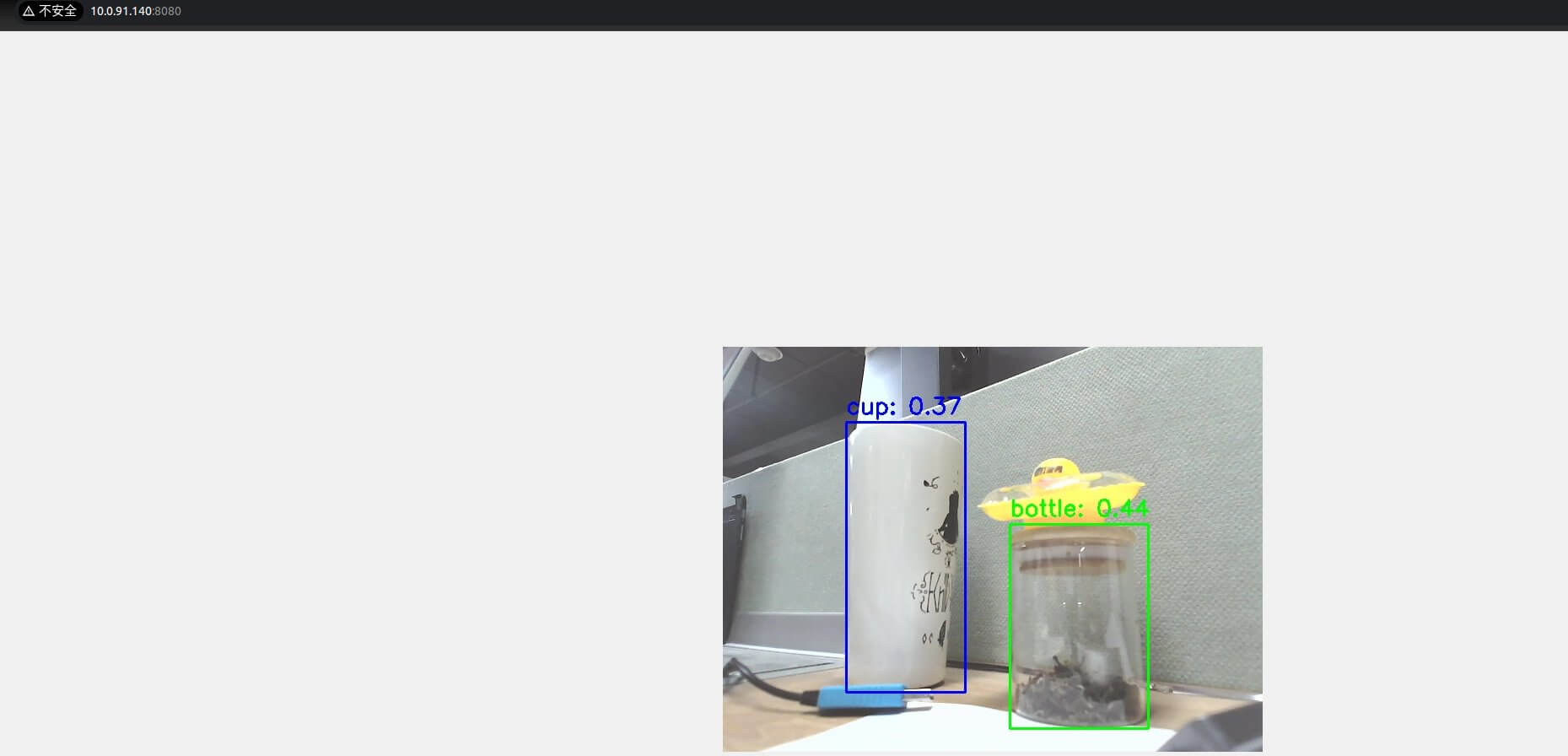
- 通过 MIPI 或 USB 摄像头输入视频流,在 Web 页面中显示目标检测结果。
本章节以目标检测模型为例,更多 DNN 算法参考 5.4 常用算法库。
支持平台
| 平台类型 | 操作系统 |
|---|---|
| SpaceMiT RISC-V 系列板 | bianbu desktop 24.04 (Humble) |
| x86 平台 | Ubuntu 22.04 (Humble) |
环境准备
安装依赖项
sudo apt install python3-opencv ros-humble-cv-bridge ros-humble-camera-info-manager \
ros-humble-image-transport python3-spacemit-ort
平台要求
SpaceMiT RISC-V:
- 已烧录 bianbu desktop 24.04 系统镜像;
- 已完成 Bianbu Robot 安装。
x86 平台:
- 已安装 Ubuntu 22.04;
- 已配置 ROS2 Humble 及 Bianbu Robot SDK 环境。
支持的模型配置列表
可执行以下命令,查看当前系统中已支持的模型配置:
ros2 launch br_perception infer_info.launch.py
示例输出:
[YAML files in 'br_perception']:
  - config/segmentation/unet.yaml
  - config/detection/yolov8.yaml
  - config/detection/yolov6.yaml
  - config/detection/yolov11_640.yaml
  - config/detection/yolov5.yaml
  - config/detection/yolov11_320.yaml
  - config/classification/resnet18.yaml
  - config/classification/resnet50.yaml
  - config/classification/mobilenet_v2.yaml
后续推理时,将 config_path 设置为相应的 .yaml 文件路径,即可使用对应模型。
图片推理
激活 ROS2 环境
source /opt/bros/humble/setup.bash
准备图片与模型
cp /opt/bros/humble/share/jobot_infer_py/data/detection/test.jpg .
执行推理
ros2 launch br_perception infer_img.launch.py config_path:='config/detection/yolov6.yaml' img_path:='./test.jpg'
推理结果将输出至 det_result.jpg:
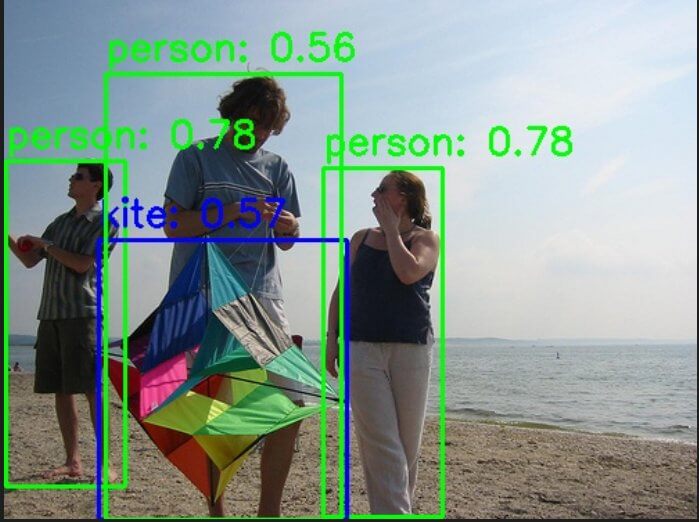
同时终端打印如下:
[INFO] [launch]: Default logging verbosity is set to INFO
[INFO] [infer_img_node-1]: process started with pid [275002]
[infer_img_node-1] x_min:1, y_min:116, width:86, height:235, label:person, confidence:0.78
[infer_img_node-1] x_min:230, y_min:121, width:86, height:252, label:person, confidence:0.78
[infer_img_node-1] x_min:68, y_min:173, width:179, height:202, label:kite, confidence:0.57
[infer_img_node-1] x_min:73, y_min:53, width:170, height:322, label:person, confidence:0.56
[infer_img_node-1] The object detection results are saved in: det_result.jpg
[INFO] [infer_img_node-1]: process has finished cleanly [pid 275002]
Web 可视化推理结果
启动推理(终端1):
source /opt/bros/humble/setup.bash
ros2 launch br_perception infer_img.launch.py config_path:='config/detection/yolov6.yaml' img_path:='./test.jpg' publish_result_img:=true result_img_topic:='result_img' result_topic:='/inference_result'
Web 可视化推理结果(终端2):
source /opt/bros/humble/setup.bash
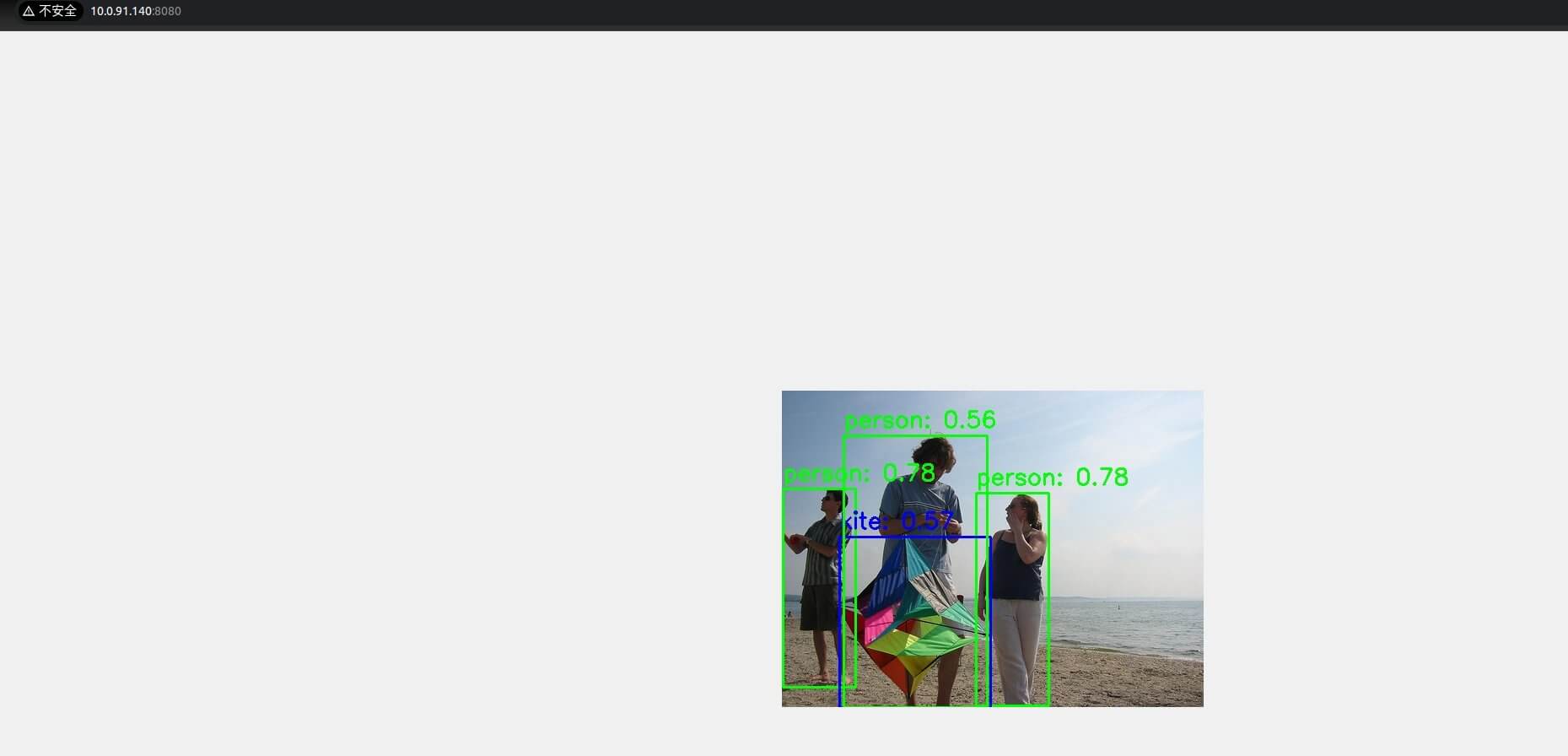
ros2 launch br_visualization websocket_cpp.launch.py image_topic:='/result_img'
终端将提示浏览器地址:
...
Please visit in your browser: http://<IP>:8080
...
打开浏览器访问 http://<IP>:8080 即可查看实时推理渲染图像:
消息查看与订阅
推理结果通过 /inference_result 话题发布,可执行下述命令订阅查看:
ros2 topic echo /inference_result
输出如下:
header:
  stamp:
    sec: 1745571001
    nanosec: 597668762
  frame_id: camera_link
results:
- x_min: 109
  y_min: 99
  width: 149
  height: 316
  label: bottle
  conf: 0.4000000059604645
- x_min: 270
  y_min: 209
  width: 150
  height: 249
  label: bottle
  conf: 0.4000000059604645
- x_min: -1
  y_min: 424
  width: 326
  height: 55
  label: sink
  conf: 0.30000001192092896
---
查看消息格式定义
ros2 interface show jobot_ai_msgs/msg/DetectionResultArray
结构示例:
std_msgs/Header header
    builtin_interfaces/Time stamp
        int32 sec
        uint32 nanosec
    string frame_id

jobot_ai_msgs/DetectionResult[] results
    int32 x_min
    int32 y_min
    int32 width
    int32 height
    string label
    float32 conf
Python 订阅推理结果示例
from rclpy.node import Node
from std_msgs.msg import Header
from jobot_ai_msgs.msg import DetectionResultArray, DetectionResult
import rclpy

class DetectionSubscriber(Node):
    def __init__(self):
        super().__init__('detection_sub')
        self.subscription = self.create_subscription(
            DetectionResultArray,
            '/detections',
            self.listener_callback,
            10)

    def listener_callback(self, msg: DetectionResultArray):
        self.get_logger().info(f"Frame: {msg.header.frame_id}")
        for det in msg.results:
            self.get_logger().info(
                f"[{det.label}] ({det.x_min},{det.y_min}) "
                f"{det.width}x{det.height} conf={det.conf:.2f}"
            )

def main(args=None):
    rclpy.init(args=args)
    node = DetectionSubscriber()
    rclpy.spin(node)
    node.destroy_node()
    rclpy.shutdown()

main()
视频流推理
启动相机节点
source /opt/bros/humble/setup.bash
ros2 launch br_sensors usb_cam.launch.py video_device:="/dev/video20"
启动视频推理
推理终端
source /opt/bros/humble/setup.bash
ros2 launch br_perception infer_video.launch.py config_path:='config/detection/yolov6.yaml' sub_image_topic:='/image_raw' publish_result_img:=true result_topic:='/inference_result'
Web 可视化终端
source /opt/bros/humble/setup.bash
ros2 launch br_visualization websocket_cpp.launch.py image_topic:='/result_img'
访问浏览器地址 http://<IP>:8080,可看到如下推理结果:
无可视化模式(仅获取数据)
如果您只想要拿到模型推理的结果,执行下述命令即可:
ros2 launch br_perception infer_video.launch.py config_path:='config/detection/yolov6.yaml' sub_image_topic:='/image_raw' publish_result_img:=false result_topic:='/inference_result'
消息订阅和查看
参考 《消息订阅和查看》章节过程打印消息数据、查看消息格式、并通过 python 订阅推理结果。
参数说明
infer_img.launch.py 参数
| 参数名称 | 说明 | 默认值 |
|---|---|---|
config_path | 模型配置文件路径 | config/detection/yolov6.yaml |
img_path | 输入图片路径 | data/detection/test.jpg |
publish_result_img | 是否发布图像推理渲染结果 | false |
result_img_topic | 发布的图像话题名,需开启 publish_result_img | /result_img |
result_topic | 发布的推理结果话题名 | /inference_result |
infer_video.launch.py 参数
| 参数名称 | 说明 | 默认值 |
|---|---|---|
config_path | 模型配置文件路径 | config/detection/yolov6.yaml |
sub_image_topic | 输入图像话题名(通常为相机输出) | /image_raw |
publish_result_img | 是否发布图像推理渲染结果 | false |
result_img_topic | 发布的图像话题名,需开启 publish_result_img | /result_img |
result_topic | 发布的推理结果话题名 | /inference_result |